CentryOS API
Welcome to the CentryOS API documentation. Our API provides a RESTful interface for managing financial transactions and accounts through our Liquidity Service.Pre-requisites
Before using any endpoints, you’ll need to:- Create a CentryOS account for your organization
- Obtain your apiClientId and apiClientSecret from your dashboard
- Generate a JWT token
Account Setup
1. Sign Up for a CentryOS Account
Click Sign Up to begin creating your account.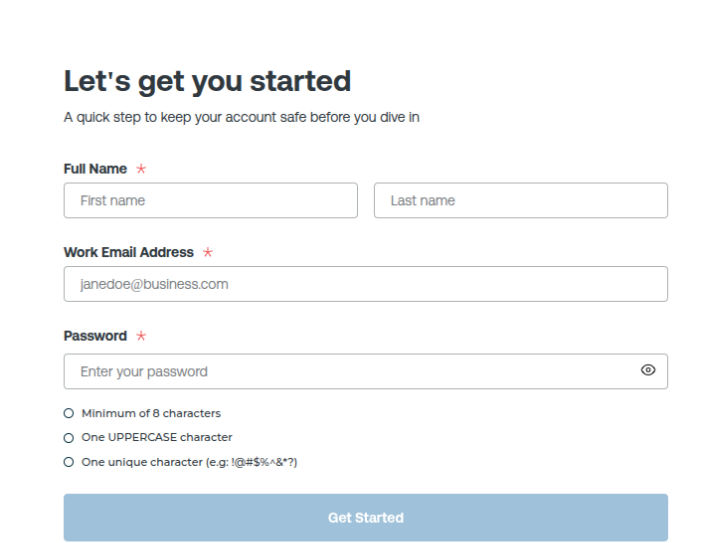
- Fill in your required details.
- You will be redirected to the verification page.
2. Enter Your Passcode
You will receive a passcode in your registered email. Enter the passcode on the verification screen.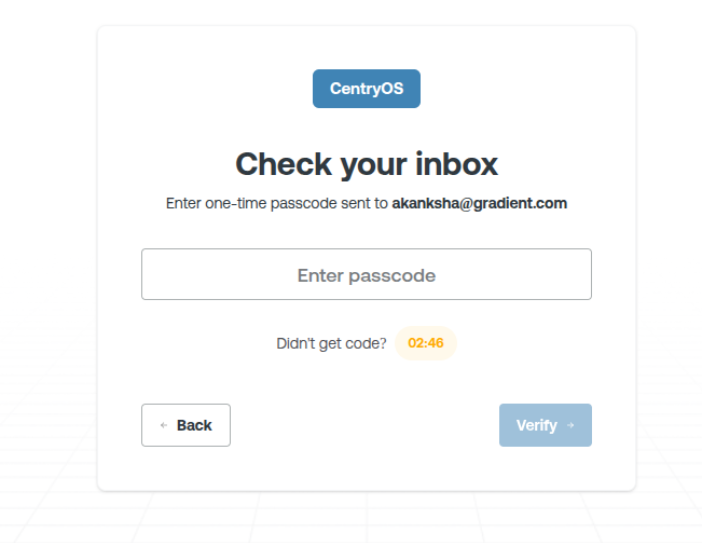
“Account created successfully”
3. Generate Your API Key and Register a Webhook URL
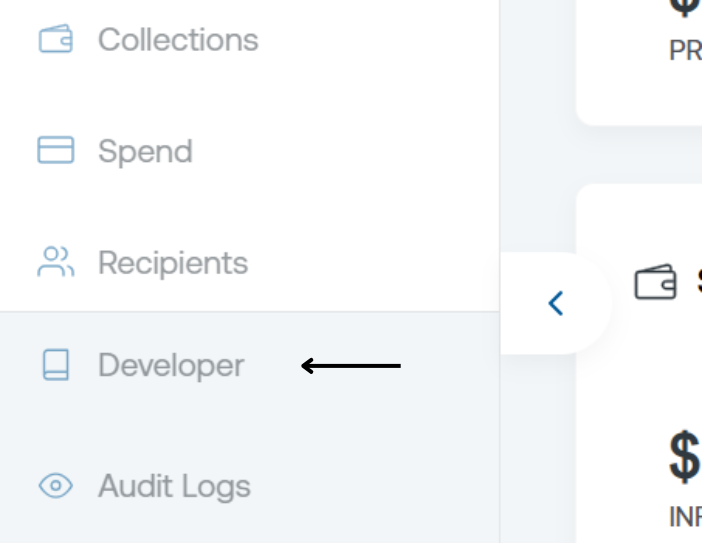
To generate your API key:- Go to the bottom-left corner of your dashboard.
- Click on Developer.
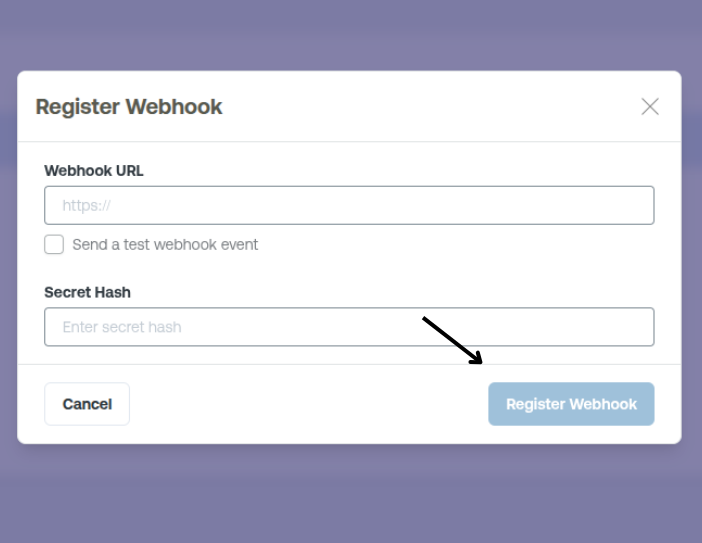
- Click Add Webhook URL
- Provide the URL and the Secret Hash
- Click Register
Keep your API keys secure and never expose them in public repos or client-side code.
Base URLs
| Environment | Base URL (ACCOUNT) |
|---|---|
| Production | https://api.accounts.walletos.xyz |
| Staging | https://staging-api.accounts.walletos.xyz |
| Environment | Base URL (LIQUIDITY) |
|---|---|
| Production | https://api.liquidity.walletos.xyz |
| Staging | https://staging-api.liquidity.walletos.xyz |
Response Format
All responses are returned in JSON format and follow a consistent structure:Rate Limiting
The API has rate limits to ensure fair usage:Production
1000 requests per minute
Staging
100 requests per minute
Error Handling
The API uses conventional HTTP response codes to indicate the success or failure of requests:| Code | Description |
|---|---|
| 200 | Success |
| 400 | Bad Request - Invalid parameters |
| 401 | Unauthorized - Invalid or missing API key |
| 403 | Forbidden - Insufficient permissions |
| 404 | Not Found - Resource doesn’t exist |
| 429 | Too Many Requests - Rate limit exceeded |
| 500 | Internal Server Error |
Support
If you need help or have questions:- Check the API documentation
- Contact support at hi@gradientfi.com