CentryOS API
Welcome to the CentryOS API documentation. Our API provides a RESTful interface for managing financial transactions and accounts through our Liquidity Service.Pre-requisites
Before using any endpoints, you’ll need to:- Create a CentryOS account for your organization
- Obtain your apiClientId and apiClientSecret from your dashboard
- Generate a JWT token
Account Setup
1. Sign Up for a CentryOS Account
Click Sign Up to begin creating your account.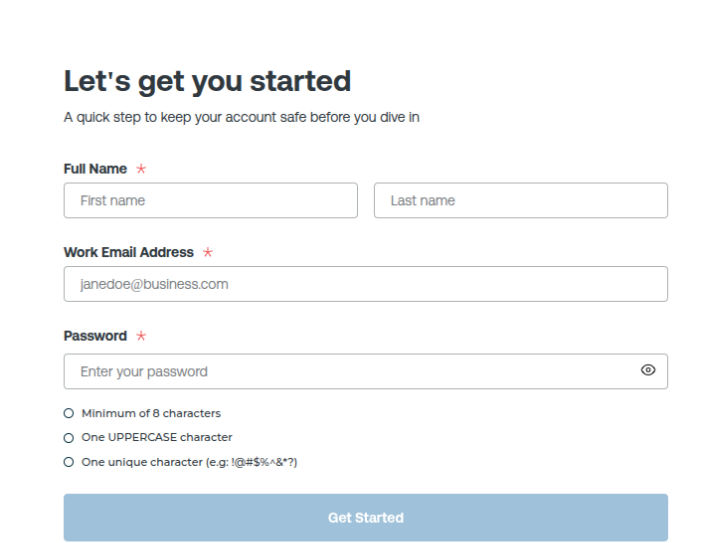
- Fill in your required details.
- You will be redirected to the verification page.
2. Enter Your Passcode
You will receive a passcode in your registered email. Enter the passcode on the verification screen.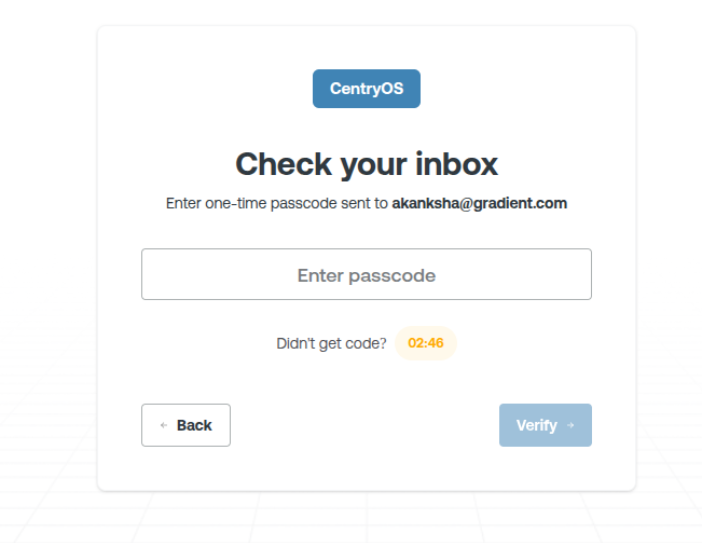
“Account created successfully”
3. Generate Your API Key and Register a Webhook URL
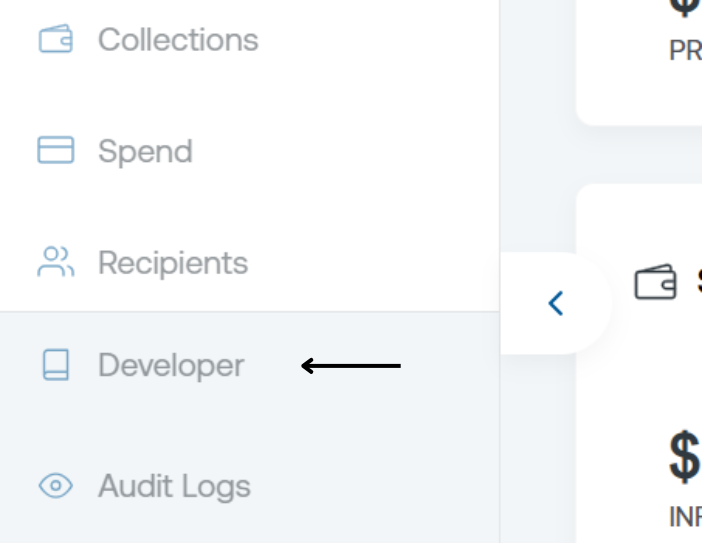
To generate your API key:- Go to the bottom-left corner of your dashboard.
- Click on Developer.
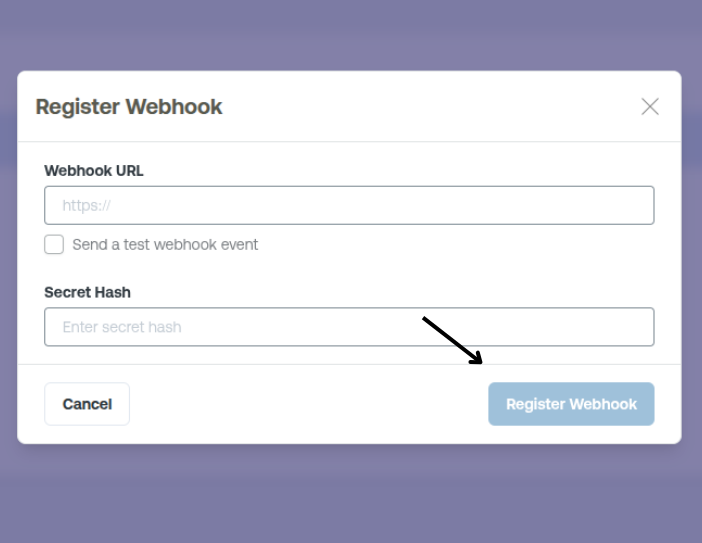
- Click Add Webhook URL
- Provide the URL and the Secret Hash
- Click Register
Keep your API keys secure and never expose them in public repos or client-side code.
Base URLs
Response Format
All responses are returned in JSON format and follow a consistent structure:Rate Limiting
The API has rate limits to ensure fair usage:Production
1000 requests per minute
Staging
100 requests per minute
Error Handling
The API uses conventional HTTP response codes to indicate the success or failure of requests:
Error responses follow this format:
Support
If you need help or have questions:- Check the API documentation
- Contact support at centryos@gradientfi.com